

iCloud Mail Inbox Guide
Want to make sure StyleBlueprint emails always show up in your inbox—and not in Junk? It’s easy. Just add us to your VIP list or Contacts, and iCloud will recognize us as a trusted sender. If one of our emails has already landed in Junk, you can quickly correct it so future messages arrive right where they belong.
Follow the simple steps below.
Add StyleBlueprint to Your VIP List
Adding us to VIP ensures our emails are highlighted and prioritized.
Open an email from StyleBlueprint in your inbox.
Click the dropdown arrow next to the sender name.
Select “Add to VIPs.”
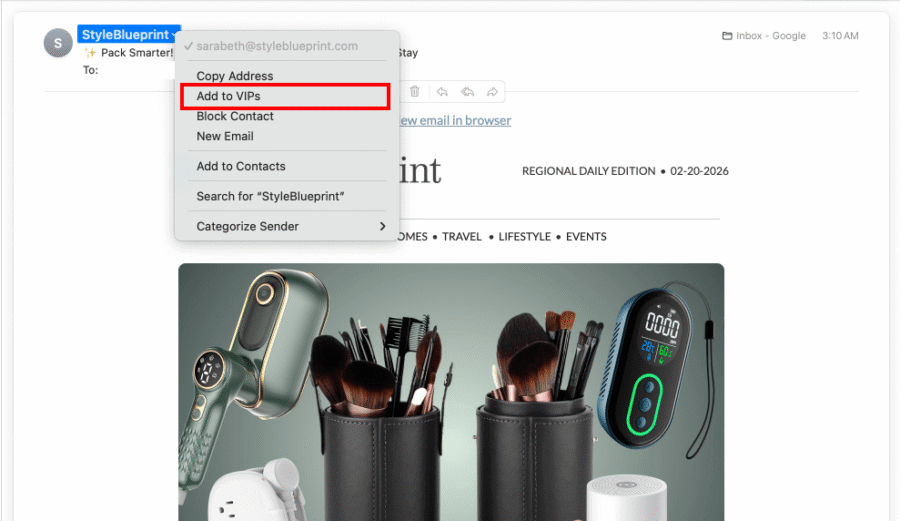
That’s it! StyleBlueprint emails will now receive VIP treatment.
Add StyleBlueprint as a Contact
You can also add us to your Contacts to signal that you trust our emails.
Open a StyleBlueprint email.
Click the dropdown arrow next to the sender name.
Select “Add to Contacts.”
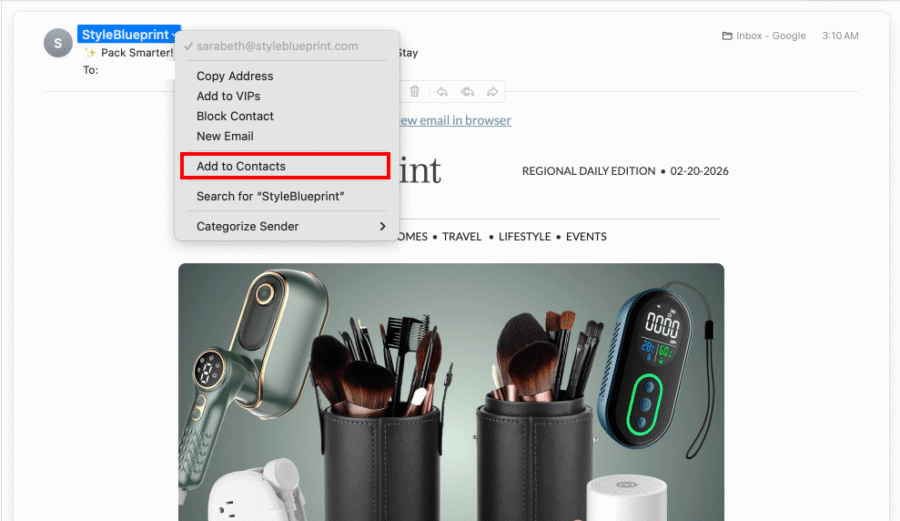
This helps prevent our emails from being filtered as Junk in the future.
Move a StyleBlueprint Email Out of Junk
If one of our emails ends up in your Junk folder, you can easily fix it.
Open your Junk folder.
Find the StyleBlueprint email.
Right-click the message.
Select “Move to Inbox.”
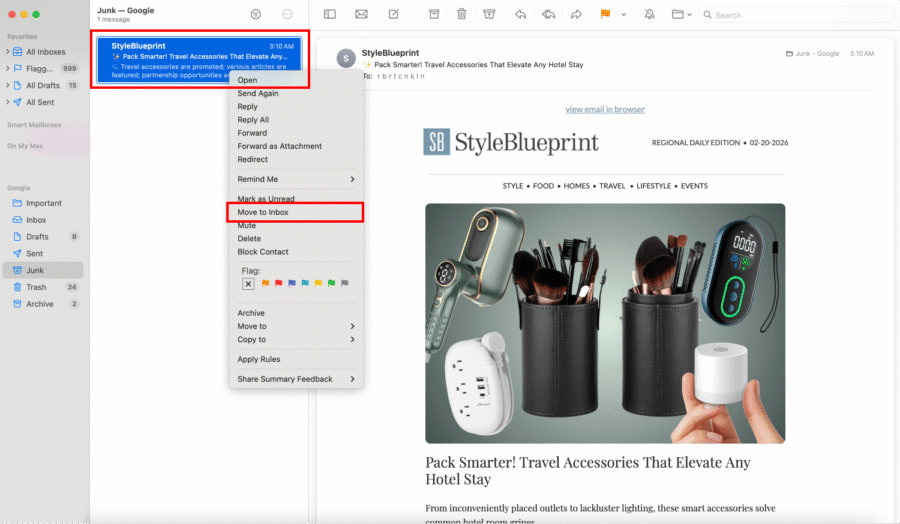
iCloud will learn from this action and deliver future emails to your inbox.
Success! StyleBlueprint will now land safely in your inbox so you won’t miss local guides, recipes, events, and weekend inspiration. Happy reading!