

AOL Inbox Guide
Want to make sure StyleBlueprint emails always land right where you can see them? It’s simple! Just add us to your AOL Contacts or mark one of our emails as “Not Spam.” That lets AOL know we’re on your VIP list. If an email has already wandered into your spam folder, no worries—you can easily teach AOL that we belong in your inbox. Follow the quick steps below.
Add StyleBlueprint as a Contact
Adding our email address to your contacts tells AOL you trust and want to receive messages from us.
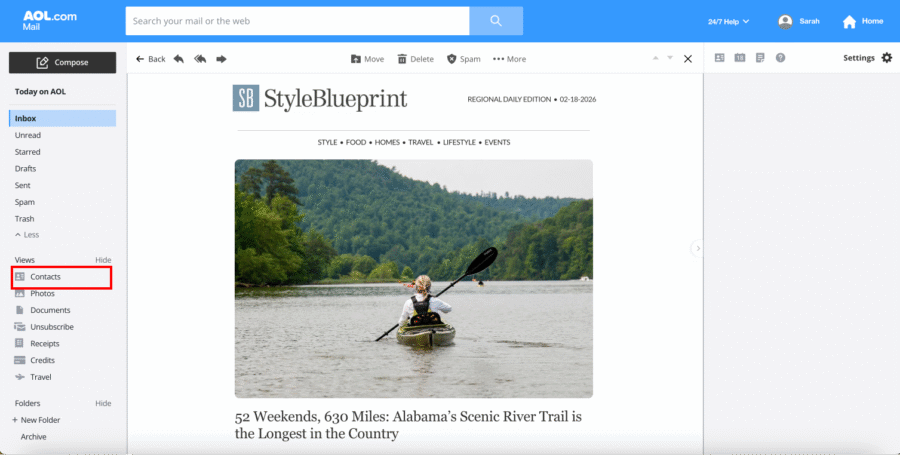
Open your Contacts view from the left sidebar in AOL Mail.
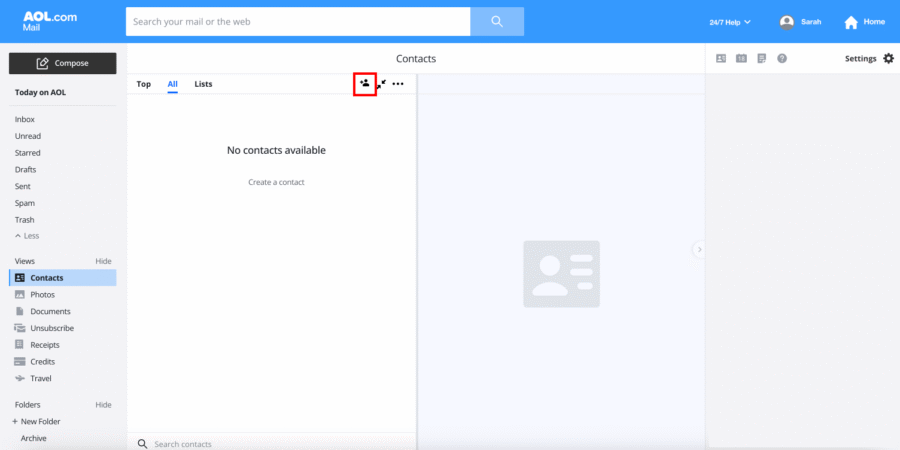
Click the “Add a new contact” icon at the top of the page.
Enter the following details:
- First Name: StyleBlueprint
- Email Address: [email protected]
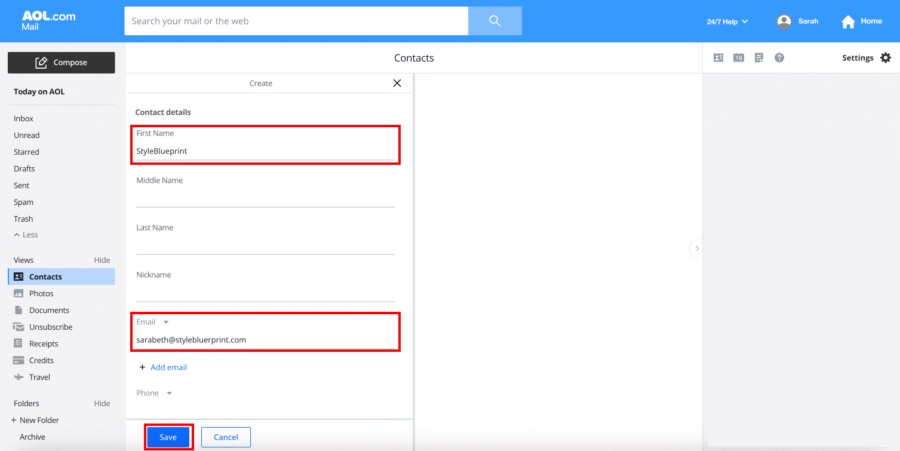
Click Save.
That’s it! AOL will recognize StyleBlueprint as a trusted sender.
You can find more information about adding contacts in AOL Mail here.
Move a StyleBlueprint Email Out of Spam
If one of our emails lands in your Spam folder, you can quickly move it and prevent that from happening again.
Click “Spam” in the left sidebar.
Open the StyleBlueprint email.
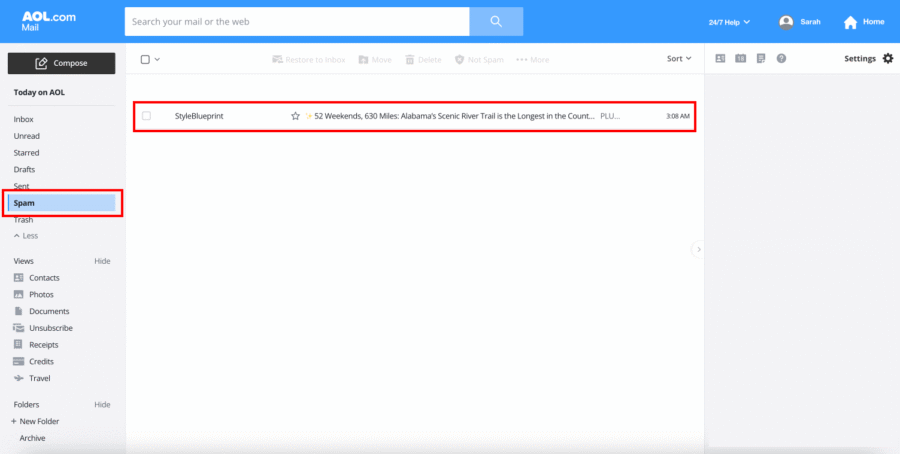
Click “Not Spam” at the top of the message.
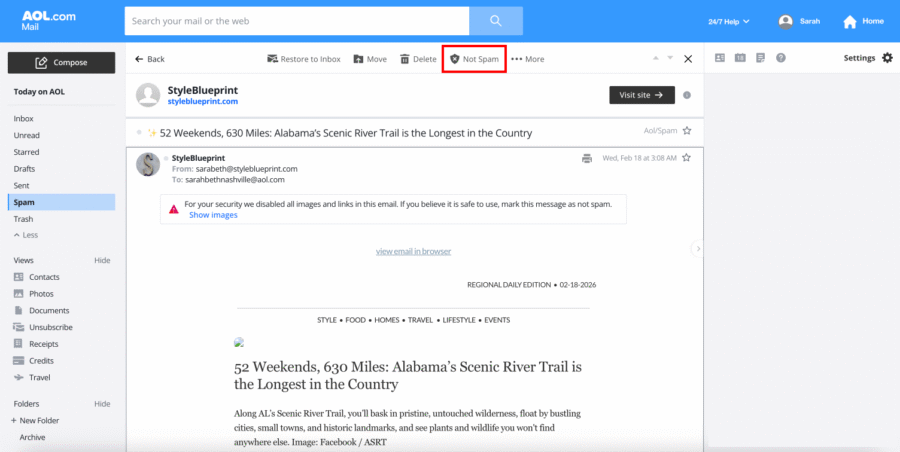
The email will automatically move to your inbox—and future StyleBlueprint emails should follow.
Success! StyleBlueprint will now arrive in your primary inbox so you won’t miss weekend guides, recipes, local finds, or event highlights. Happy reading!